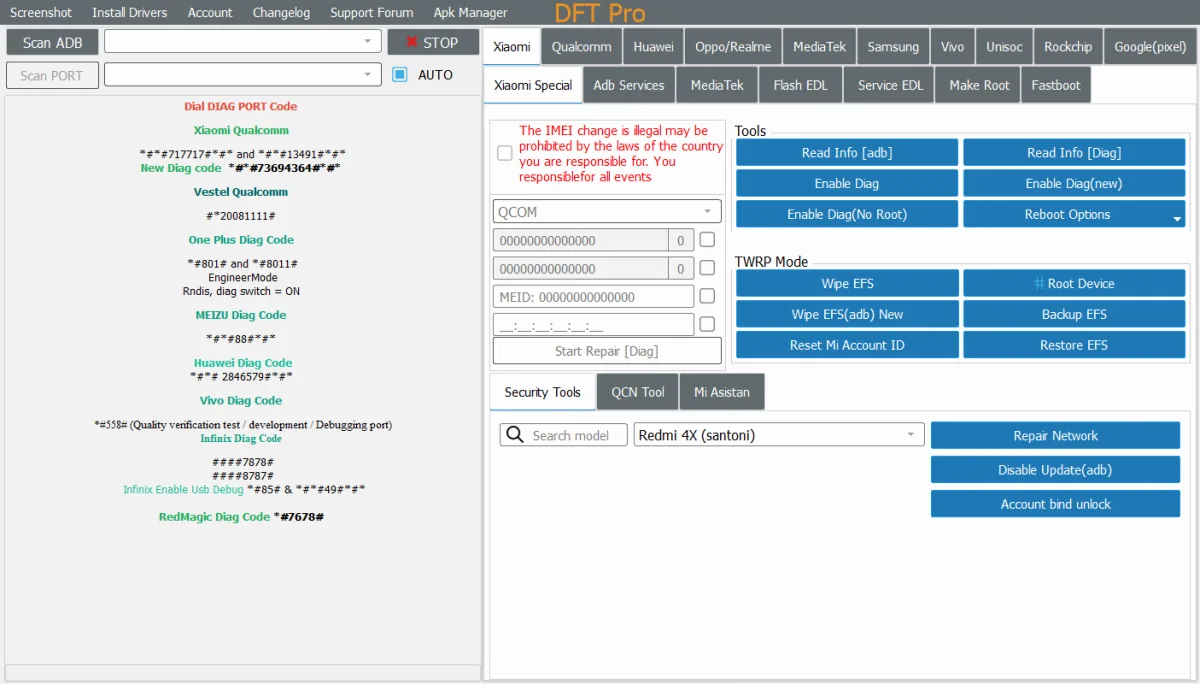
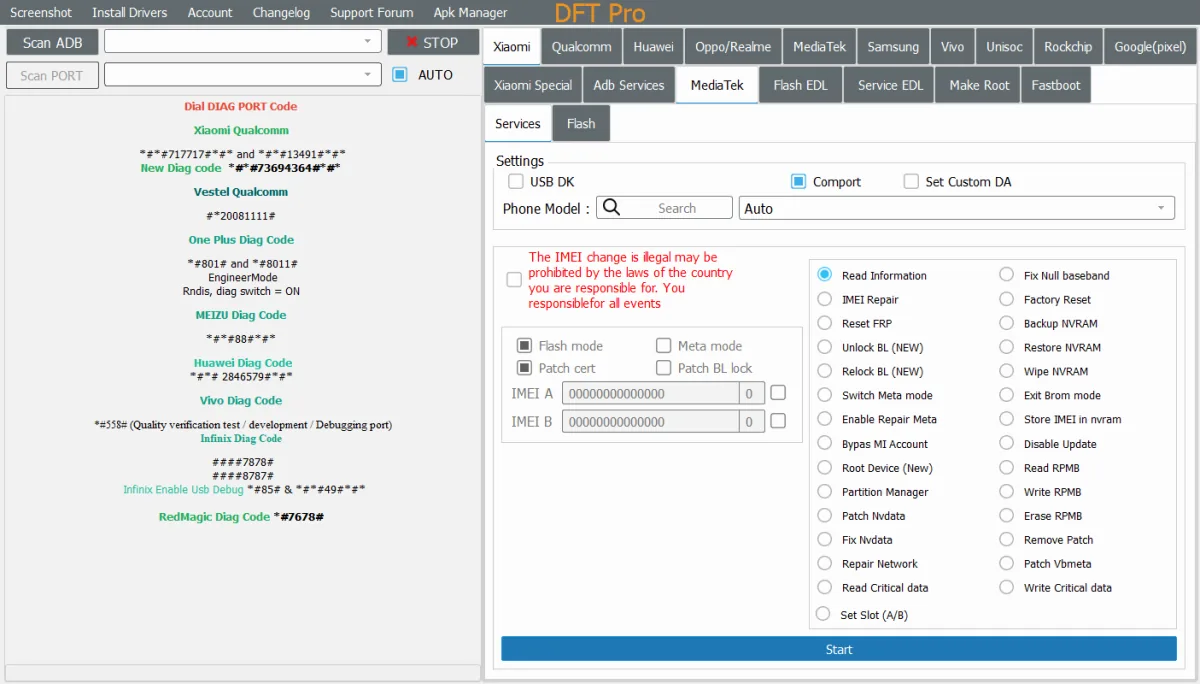
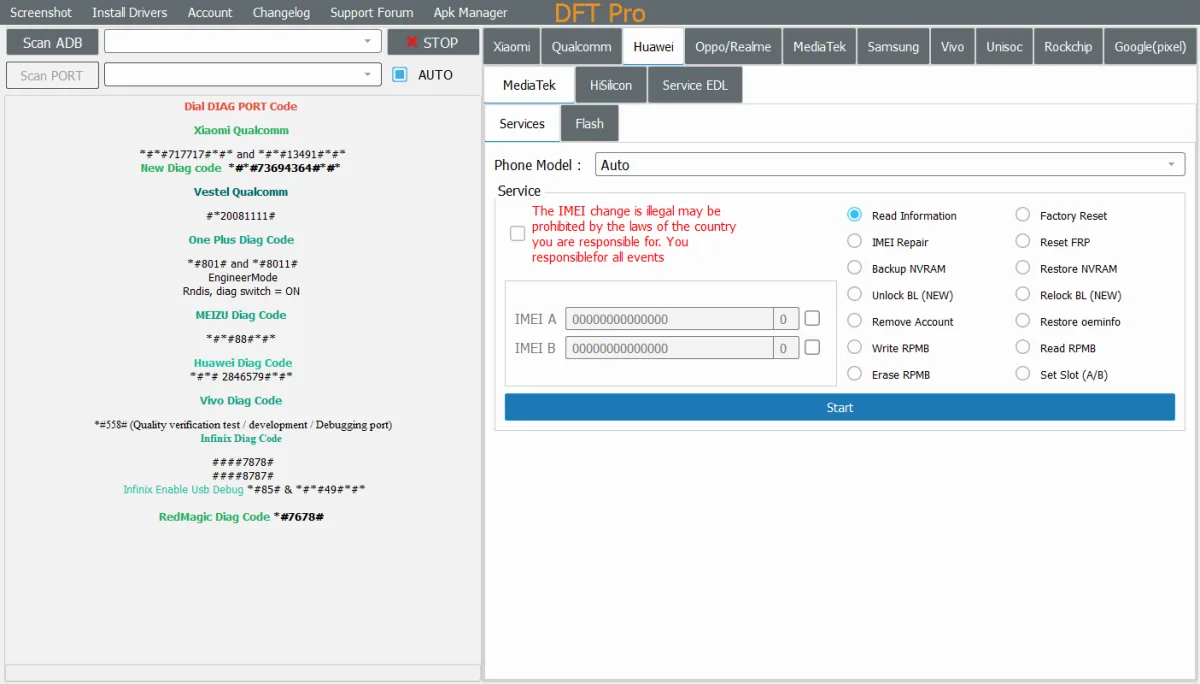
DFT Tool Pro v7.0.6 is now released with Direct Bootloader Unlock via Fastboot, Snapdragon 8 Gen 3 support, Android 15 FRP bypass, and major bug fixes. Download the latest version and check all supported brands, chipsets, and models for 2026.
Desk MapOn this page
- What is DFT Tool Pro?
- DFT Tool Pro v7.0.6 – What's New?
- Direct Bootloader Unlock via Fastboot
- Qualcomm Snapdragon 8 Gen 2, Gen 3, and 8 Elite Support
- ADB and Fastboot Protocol Optimization
- Bug Fixes and Internal Optimizations
- Key Features of DFT Tool Pro
- Supported Brands
- Supported Chipsets
- Supported Models
- Xiaomi / Redmi / POCO
- Oppo / Realme
- Vivo
- Nubia / Red Magic
- Infinix / Tecno / Itel
- Samsung
- How to Download and Install DFT Tool Pro v7.0.6
- License and Pricing
- Conclusion
What is DFT Tool Pro?
DFT Tool Pro is a professional Android mobile servicing software widely used by mobile technicians and repair shop experts around the world. It is designed to handle FRP bypass, Bootloader Unlock, IMEI Repair, Firmware Flashing, and Screen Lock Removal on a wide range of Android devices.
DFT Tool Pro supports three major chipset platforms — Qualcomm, MediaTek (MTK), and Unisoc — making it one of the most versatile tools available for mobile repair professionals in 2026. The tool receives frequent updates to add support for new device models and the latest Android security patches.
DFT Tool Pro v7.0.6 – What’s New?
Direct Bootloader Unlock via Fastboot
This is the biggest addition in v7.0.6. DFT Tool Pro now supports direct Bootloader Unlock via Fastboot mode for devices equipped with ENG Firmware. The tool automatically detects whether the device is in ADB or Fastboot mode and performs a complete and permanent Bootloader Unlock.
Qualcomm Snapdragon 8 Gen 2, Gen 3, and 8 Elite Support
Various “Unlock Bootloader Failed” errors on the latest generation Qualcomm devices have been resolved. The following processors are now fully supported for Bootloader Unlock:
- Qualcomm SM8550 – Snapdragon 8 Gen 2
- Qualcomm SM8650 – Snapdragon 8 Gen 3
- Qualcomm SM8750 – Snapdragon 8 Elite
ADB and Fastboot Protocol Optimization
The ADB and Fastboot communication protocol has been improved for better stability and faster execution across all supported devices.
Bug Fixes and Internal Optimizations
Various Bootloader Unlock related errors have been resolved. Minor bug fixes and internal software optimizations have also been applied to improve overall performance and stability.
Key Features of DFT Tool Pro
- FRP Bypass: Remove Google Factory Reset Protection on Samsung, Xiaomi, Vivo, Oppo, Realme, Infinix, Tecno, and more — supports up to Android 15.
- Bootloader Unlock and Relock: Permanent Bootloader Unlock via Fastboot for ENG Firmware devices. Relock is also supported.
- IMEI Repair: Repair corrupted or damaged IMEI numbers after flashing or factory reset.
- Firmware Flashing: Flash stock and custom ROMs. Recover bootloop and dead devices.
- Screen Lock Removal: Remove forgotten Pattern, PIN, and Password on many devices without data loss.
- Factory Reset: Restore device to factory default condition.
- Chipset-Level Repair: Deep repair support for Qualcomm, MediaTek, and Unisoc chipsets.
- ADB, Fastboot, and EDL Mode Support: Multiple connection modes for maximum compatibility.
- Advanced APK Manager: Malware scan, Batch Uninstall, Backup, and Disable. Install APK directly from PC.
- Meta Mode Repair: MediaTek Meta Mode repair for Infinix, Tecno, Itel, and Xiaomi devices.
Supported Brands
- Samsung
- Xiaomi, Redmi, POCO
- Oppo, Realme, OnePlus
- Vivo
- Huawei, Honor
- Infinix, Tecno, Itel
- Nubia, Red Magic
- Nokia
Supported Chipsets
- Qualcomm Snapdragon: SM8550 (8 Gen 2), SM8650 (8 Gen 3), SM8750 (8 Elite)
- MediaTek Dimensity: 700 5G, 720 5G, 800 5G, 900 5G, 1200 5G
- MediaTek Helio: A22, P23, P35, P65, P70, G90T, G95, G96
- Unisoc / Spreadtrum: T760, T820 and other Unisoc series
- Samsung Exynos: A-series and other Exynos devices
Supported Models
Xiaomi / Redmi / POCO
- Redmi Note 13 5G (gold)
- Redmi Note 13 Pro 4G (emerald)
- Redmi Note 13 Pro+ 5G (zircon)
- Redmi Note 14 Pro / POCO X7 (malachite)
- POCO X6 Pro 5G (duchamp)
- POCO X7 Pro (rodin)
- Xiaomi 12T (plato)
- Xiaomi 13T (aristotle)
- Xiaomi 13T Pro (corot)
- Xiaomi 14T (degas)
- Xiaomi 14T Pro (rothko)
- Xiaomi 15T (goya) – ENG Preloader required
- Xiaomi 15T Pro (klimt) – ENG Preloader required
- Redmi 13 (moon)
Oppo / Realme
- Oppo Reno 10 (CPH2531)
- Oppo Reno 11 5G (CPH2599)
- Oppo F25 Pro 5G (CPH2603)
- Oppo F27 Pro Plus (CPH2643)
- Oppo Reno 11F 5G (CPH2603)
- Realme 11 Pro 5G (RMX3771)
- Realme 12 Plus 5G (RMX3867 / RMX3868)
- Realme P1 (RMX3870)
- Realme Narzo 70 5G (RMX3869)
- Realme Narzo 70 Pro (RMX3868)
Vivo
- Vivo Y01, Y12s, Y15s 2021, Y21, Y30, Y30G
- Vivo Y52 5G, Y55 5G, Y72 5G, Y76 5G
- Vivo Y52s, Y73s
- Vivo V17 Neo, V21e 5G
- Vivo S1, S7e 5G
- Vivo X70, X70 Pro
- Vivo S12 Pro, V23 Pro
Nubia / Red Magic
- Nubia Red Magic 8 (tested)
- Nubia Red Magic 8 Pro (tested)
- Nubia Red Magic 8S Pro (tested)
- Nubia Red Magic 8 Pro Plus (tested)
Infinix / Tecno / Itel
- All models via MediaTek Meta Mode method – FRP, Factory Reset, Repair (Android 15)
- All models via Unisoc method – FRP, Factory Reset, Repair DIAG (Android 15)
Samsung
- A-series – FRP Reset and CSC Change
- Bootloader Unlock and Relock
- Android 15 and Android 16 support
How to Download and Install DFT Tool Pro v7.0.6
- Download the official setup file from the official website or a trusted mirror link below.
- Right-click the downloaded file and select Run as Administrator.
- Follow the installation wizard. Supported on Windows 8, 10, and 11 (32-bit and 64-bit).
- Open the tool and log in with your registered account credentials.
- Connect your Android device to the PC via USB cable.
- Put your device into the correct mode — ADB, Fastboot, or EDL — based on the brand and chipset.
- Select the required operation: FRP Bypass, Bootloader Unlock, IMEI Repair, or Firmware Flashing.
- Click Start and follow the on-screen instructions. Reboot the device once the process is complete.
Note: Always take a full backup of your device data before performing any operation. Disable antivirus temporarily during installation to prevent false blocks on tool components.
License and Pricing
DFT Tool Pro requires a valid paid license to use. The standard license price is approximately $30 to $80 depending on the version and the seller. Always purchase from the official website to get genuine activation, customer support, and regular updates.
Warning: Cracked or unofficial versions of DFT Tool Pro available online may contain malware, trojans, or spyware that can seriously damage your PC and compromise your data. Always use an official license.
Conclusion
DFT Tool Pro v7.0.6 is a strong and important update for mobile repair professionals. The addition of Direct Bootloader Unlock via Fastboot for the latest Qualcomm processors, Android 15 FRP bypass support, and improved ADB and Fastboot communication make this one of the most capable versions released so far.
If you are a mobile technician looking for a reliable and regularly updated servicing tool, DFT Tool Pro remains one of the best choices in 2026. Always use an official license and back up device data before performing any operation.
Official Website: https://www.dftpro.com